Maximizing the NVIDIA PRO 6000 Blackwell for Multi-Agent Workflows
Maximizing the NVIDIA PRO 6000 Blackwell for Multi-Agent Workflows
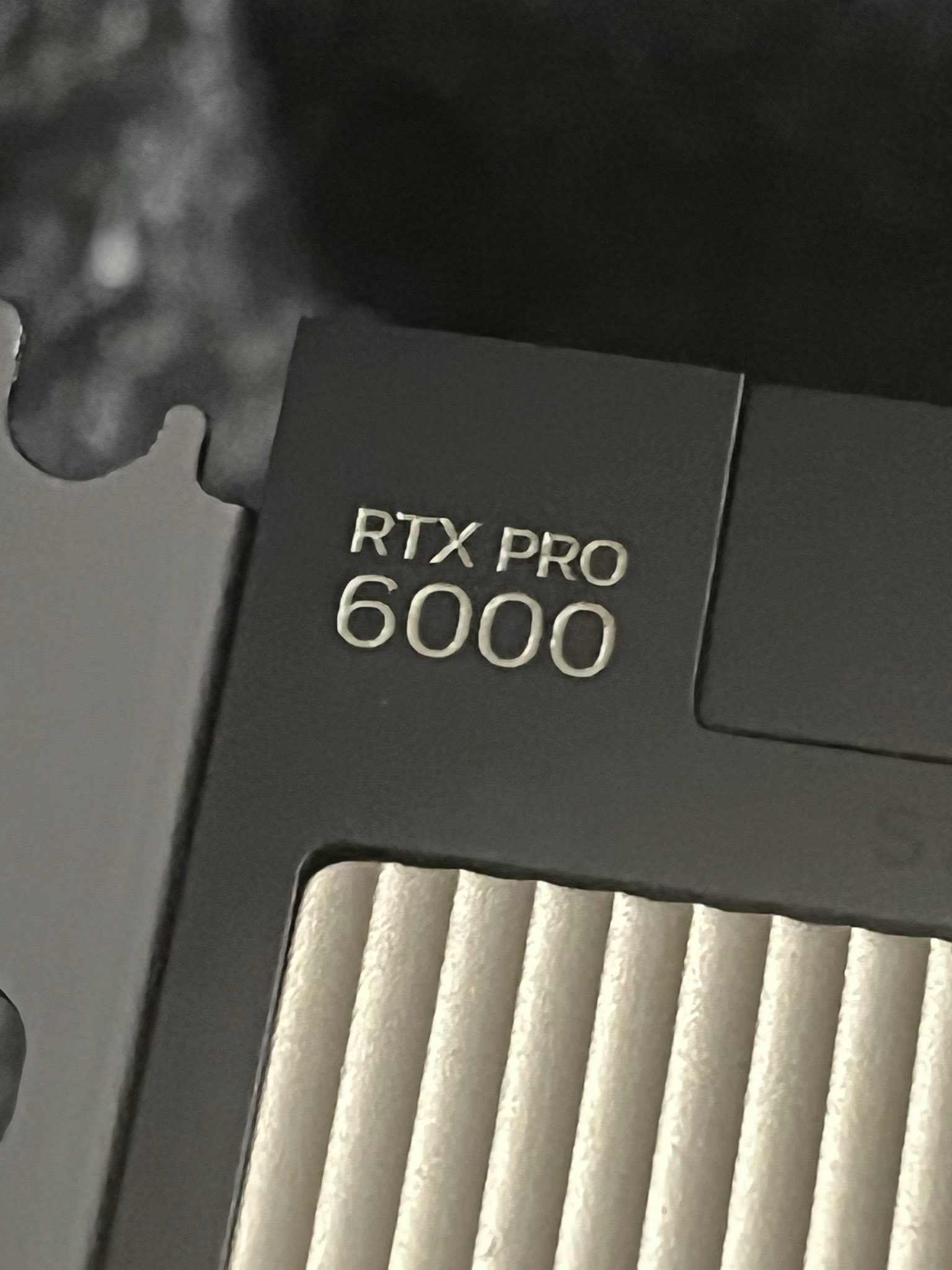
Running powerful AI models locally requires a careful balance of VRAM management, quantization techniques, and inference engine optimization. With my NVIDIA PRO 6000 Blackwell AI Workstation Max-Q (96GB), I’ve managed to find a “sweet spot” configuration that allows me to run two of my favorite high-performance models simultaneously for different purposes.
The Setup
I currently run two distinct vLLM instances to power my primary AI workflows:
- For OpenCode (Programming): I use
Qwen3.6-27B-FP8. This model is exceptional for coding tasks, and the FP8 quantization allows it to run efficiently while maintaining high precision for complex logic. - For Hermes Agent (General & Reasoning): I use
gemma-4-12B-it-qat-int4. This model is incredibly nimble and offers great reasoning capabilities for my agentic workflows.
By balancing the gpu-memory-utilization between these two services, I can keep both models active and responsive in the same environment without OOM (Out of Memory) errors.
How I Launch the Services
I manage these deployments using Docker Compose. The core of the setup involves two separate vLLM containers with specific configurations tailored for each model’s requirements (such as specific KV-cache types and max sequence lengths).
You can find the full configuration in my docker-compose.yml file:
# vLLM for Qwen3.6-27B-FP8
  vllm-qwen:
    image: vllm/vllm-openai:latest
    runtime: nvidia
    restart: unless-stopped
    shm_size: "32G"
    privileged: true
    environment:
      - VLLM_LOGGING_LEVEL=info
      - VLLM_HOST_IP=0.0.0.0
      - HF_HOME=/root/.cache/huggingface
      - HF_TOKEN=hf_....baA
      - FLASHINFER_DISABLE_VERSION_CHECK=1
      - FLASHINFER_CUDA_ARCH_LIST=12.0f
      - VLLM_MOE_FORCE_MARLIN=1
      - CUTE_DSL_ARCH=sm_120a
      - PYTORCH_CUDA_ALLOC_CONF=expandable_segments:True
      - VLLM_ALLOW_LONG_MAX_MODEL_LEN=1
      - TRANSFORMERS_VERBOSITY=warning
    volumes:
      - ./huggingface:/root/.cache/huggingface
      - ./vllm_cache:/root/.cache/vllm
    ports:
      - "8005:8000"
    command: >
      Qwen/Qwen3.6-27B-FP8
      --served-model-name Qwen3.6-27B-FP8
      --trust-remote-code
      --host 0.0.0.0
      --port 8000
      --tensor-parallel-size 1
      --kv-cache-dtype fp8_e4m3
      --gpu-memory-utilization 0.70
      --max-model-len 262144
      --max-num-seqs 16
      --max-num-batched-tokens 32768
      --enable-chunked-prefill
      --async-scheduling
      --reasoning-parser qwen3
      --enable-auto-tool-choice
      --tool-call-parser qwen3_coder
      --mm-encoder-tp-mode data
      --default-chat-template-kwargs '{"enable_thinking": true, "preserve_thinking": true}'
      --speculative-config '{"method":"mtp","num_speculative_tokens":1}'
      --override-generation-config '{"temperature":0.6,"top_p":0.95,"presence_penalty":0.05,"repetition_penalty":1.05}'
      --language-model-only
      -O3
    deploy:
      resources:
        reservations:
          devices:
            - driver: nvidia
              count: 1
              capabilities: [gpu]
    healthcheck:
      test: ["CMD", "curl", "-f", "http://localhost:8000/health"]
      interval: 30s
      timeout: 10s
      retries: 5
      start_period: 120s
    logging:
      driver: "json-file"
      options:
        max-size: "20m"
        max-file: "5"

# vLLM for gemma-4-12B-it-qat-int4
  vllm-gemma:
    image: vllm/vllm-openai:latest
    runtime: nvidia
    restart: unless-stopped
    shm_size: 16g
    privileged: true
    environment:
      - VLLM_LOGGING_LEVEL=info
      - VLLM_HOST_IP=0.0.0.0
      - HF_HOME=/root/.cache/huggingface
      - PYTORCH_CUDA_ALLOC_CONF=expandable_segments:True
      - HF_TOKEN=hf_....baA
    volumes:
      - ./huggingface:/root/.cache/huggingface
      - ./vllm_cache:/root/.cache/vllm
    ports:
      - "8006:8000"
    command: >
      google/gemma-4-12B-it-qat-w4a16-ct
      --served-model-name gemma-4-12B-it-qat-int4
      --tensor-parallel-size 1
      --max-num-batched-tokens 8192
      --gpu-memory-utilization 0.25
      --kv-cache-dtype fp8
      --max-num-seqs 1
      --max-model-len 131072
      --enable-auto-tool-choice
      --tool-call-parser gemma4
      --chat-template examples/tool_chat_template_gemma4.jinja
      --reasoning-parser gemma4
      --async-scheduling
      --language-model-only
      --speculative-config '{"model":"google/gemma-4-12B-it-assistant","num_speculative_tokens":4}'
      -O3
    deploy:
      resources:
        reservations:
          devices:
            - driver: nvidia
              count: 1
              capabilities: [gpu]
    healthcheck:
      test: ["CMD", "curl", "-f", "http://localhost:8000/health"]
      interval: 30s
      timeout: 10s
      retries: 5
      start_period: 120s
    logging:
      driver: "json-file"
      options:
        max-size: "20m"
        max-file: "5"
This configuration represents the best way I’ve found so far to maximize the potential of my Blackwell hardware, providing a robust backend for both coding-heavy automation and general-purpose AI agency.